


Security is no longer about just metal detectors or swipe cards at the door. If you are running operations in places like an airport terminal, a sensitive government wing, a multi-floor corporate office, or a research facility with restricted access, you already know this. Any gap in your entry process is not just a small oversight. It can mean exposure to data theft, unauthorised access, or operational chaos. One minor breach could throw off everything from shift timings to high-stakes workflows.
Now, if you are tired of half-baked access solutions that let people in without verifying who they are or if you have ever faced tailgating that the security guards “did not notice,” then it is time to think differently. This is where combining speed gates with biometric systems starts to make actual, real-world sense.
So if you are serious about implementing a system that keeps your people safe and operations intact, this is the kind of explanation that breaks it all down without the fluff.
What Are Speed Gates?
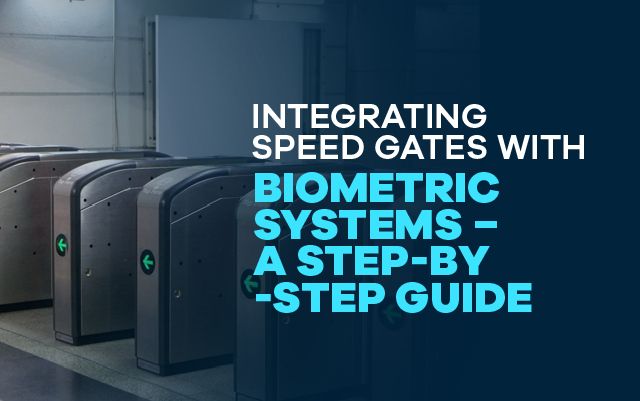
Most people who have seen speed gates think they are just fast-moving glass flaps that open when a card is tapped. While that is true on the surface, real security speed gates are more than just barriers. They are smart machines that can read signals from multiple inputs, act on instructions instantly, and physically control the flow of people in and out of zones that need monitoring. A speed gate turnstile offers this level of intelligence with the added benefit of seamless throughput in high-traffic areas.
These gates use sensors and real-time detection modules to identify whether a single person is passing or if two individuals are attempting to sneak through. It may seem like a minor detail, but in environments where hundreds of people move through every hour, preventing tailgating or unauthorised access can help avert serious security incidents.
What are Biometric Systems?
Now, biometric systems are not magic, but they are probably the closest thing to foolproof access control you will find today. They scan a human fingerprint, a face, or an iris and check it against a database of approved users. This does not rely on cards that can be lost or PINs that can be shared. This is real identity verification tied to physical traits that cannot be easily faked or duplicated.
So when someone approaches a gate and the scanner says yes, it is not just permission; in fact, it is identity verified at that very moment.
Why Integrate Speed Gates with Biometric Systems?
When you use biometric systems without gates, people can tailgate. When you use speed gates without biometric verification, people can pass cards between them. But when you integrate both security systems, you lock down both identity and motion. Now you are dealing with a set-up where the person trying to enter must be authorised and physically alone. That reduces the security gap to nearly zero.
Also, biometric accuracy is reaching above 98.3 percent in environments with proper lighting and calibration. Combine that with modern gates that can open in less than half a second, and what you get is not just a smooth user experience. You get real security that keeps up with your speed of business.
Step-by-Step Guide to Integrating Speed Gates with Biometric Systems
Step 1: Assess Security & Access Control Requirements
Before you touch a single wire or shortlist a single vendor, walk the floor and map out your access zones like you are preparing for a full operational audit. Identify which entry and exit points actually matter from a security standpoint and which ones are more about convenience. Not every door needs facial recognition. Some just need presence tracking.
High-risk areas like server rooms, executive wings, or high-value inventory corridors must have stricter control systems in place. Once your zones are clear, choose the biometric method that will serve those environments best.
For example, facial recognition might work best in lobbies and high-traffic entrances, while iris scanning or fingerprint readers could be reserved for more controlled rooms. Without this clarity upfront, your access control will always feel patched together rather than purpose-built.
Step 2: Select the Right Speed Gate & Biometric System
Do not fall for aesthetics alone when choosing your speed gate hardware. Some gates look sleek but jam up under load. Others might move fast but struggle when integrated with third-party biometric modules. Start with choosing a speed gate that fits your real-world layout, not just what looks good in a catalog.
If you have wide entry zones or wheelchair access points, swing barriers are usually the more practical choice. If space is tight and crowding is common, flap barriers do a better job of managing that flow without causing a bottleneck. But if you are protecting high-security zones where strict entry control matters more than aesthetics, full-height turnstiles are the kind of setup you want in place.
Once your physical setup is mapped, pair that gate with a biometric system that balances security with actual user experience. Fingerprint scanners tend to be highly accurate in controlled environments where humidity and light are stable. On the other hand, facial recognition makes life easier in public lobbies or larger offices where throughput needs to be faster and cleaner.
And if you are trying to avoid spending six months building your own integrations from scratch, look at vendors like ScreenCheck Saudi who already bundle both systems into one pre-integrated solution. That saves you hours of testing and several weeks of configuration chaos later.
Step 3: Ensure System Compatibility and Integration Capabilities
This is the part that most teams underestimate until they are already knee-deep in implementation. You can pick the smartest biometric system in the market, but if it cannot speak fluently with your gate’s firmware or access control platform, you will end up managing two expensive tools that work in isolation. So start with checking compatibility. Choose systems that offer well-documented APIs or SDKs that your IT team can work with. Integration should not feel like reverse engineering an old vending machine.
Now decide where the data will live. If your compliance rules allow it, cloud-based storage with encryption is easier to manage and scale. But if you are dealing with government data centers or banking infrastructure, you may need to keep everything on-premises. That decision has to be made early, not after installation. And here is where many teams stumble, biometric data is subject to local privacy and data protection laws. In places like South Asia or across MENA, those laws differ widely.
So before you even collect a fingerprint or scan a retina, make sure your system follows the region’s legal framework. Once you check those boxes, integration becomes smoother and much easier to maintain.
Step 4: Configure Access Control Permissions and User Enrollment
Once your infrastructure is live and your devices are online, the next step is not about wiring anymore, as it is more about logic. You now need to define who gets access to what, and under which conditions.
Begin by onboarding all employees, contract staff, and frequent visitors into your biometric system. Do not rush this step, as poor quality scans during enrollment are the biggest reason systems fail later. You want high-contrast facial images along with complete fingerprint data because this is your security baseline.
Then move on to role-based access configuration. A security guard should not be scanning into HR. Your marketing head does not need clearance to the server rack. Map access zones according to operational necessity, not hierarchy. Once this is sorted, sync everything with your HRMS or any identity management tools you already use. That way, when someone leaves the company or switches departments, their access is adjusted without manual intervention. No more outdated permissions floating around.
Step 5: Test the Integration and Optimize for Daily Use
After setup and permissions, it is testing time and not the kind where you walk through the door once and call it good. Run simulations during high-traffic hours. Have people walk through with bags, coffee cups, and sunglasses.
Try scanning during a rainstorm or with low lighting. See what happens when the person is wearing a mask or talking on the phone. You want to break it in testing, not when your CEO is standing at the gate trying to get in.
Watch how long the gates stay open. If they shut down too quickly, they will confuse users and create queues. If they stay open too long, you risk piggybacking. Fine-tune the delay so it matches your actual flow and build your fail-safes early.
If the biometric fails or the scanner glitches, users need a backup, either a manual override controlled by the guard or a contactless RFID that works as secondary authentication. These are not optional add-ons. They are what keep the system functioning when real-life chaos shows up.
Step 6: Train Staff and Build Security Protocols Around the System
A system that only your vendor understands is useless the moment something goes wrong at 8 AM on a Monday. Your security guards, reception desk staff, and IT administrators must know not just how to use the system but also how to troubleshoot the most common hiccups.
So train your frontline staff first and walk them through how the system behaves when everything works. Then show them what to do when it does not. Build guides, hold refresher sessions every few months, and log incidents for future training. You should also create emergency fallback protocols for biometric failures, especially for time-sensitive environments like hospitals, airports, or large commercial hubs.
Step 7: Monitor & Maintain the System for Long-Term Efficiency
Installing a security system is not the final step; maintaining it is where real discipline comes in. Create a recurring schedule for inspecting the biometric devices and speed gate motors. Clean sensors, lubricate gate arms, and test connectivity to your central server at least once a month. Update all firmware and apply any pending security patches as soon as they are released.
Conduct full access audits every quarter to identify ghost users, expired permissions, and suspicious access attempts. If you wait for something to break, you are already late. Regular system health checks are what keep the setup reliable under pressure.
Real Integration Benefits That Justify the Effort
- Tailgating prevention is built into daily operations
- Entry and exit logs tied directly to real identities
- Automated alerts when unauthorised access attempts occur
- Contactless and hygienic entry process for high-traffic zones
Overcoming Common Problems You Will Definitely Face
- Slow scans in busy hours: Upgrade to AI-assisted facial recognition to improve detection under pressure
- Power backup and connectivity issues: Use fail-safe locks and offline modes to maintain functionality
- Privacy concerns: Encrypt data and follow GDPR or local compliance laws to protect employee trust
- Integration overload: Work with vendors who provide plug-and-play modules to reduce custom engineering headaches
Future Trends in Access Control You Cannot Ignore
The security tech landscape is shifting faster than most teams can track. In 2025 and beyond, the following trends are shaping enterprise adoption:
- Facial recognition systems with AI-powered context scanning are reaching 99.1 percent accuracy under variable lighting
- Touchless biometrics like iris and voice recognition are increasing by 41 percent in adoption across large infrastructure projects
- Cloud-based identity syncing and edge AI are making real-time verification scalable across multiple entry points
- Blockchain integration for biometric access logs is gaining traction for regulatory-grade transparency
If your system is built for today’s load but not tomorrow’s demands, you might find yourself reinvesting sooner than you want.
So, What’s the Bottom Line Here?
If your building matters or if your data matters. Then you cannot rely on old-school access cards or door locks anymore. A well-integrated speed gate combined with a biometric system does not just protect your space, instead, it protects your process. And in a world where everything from office hours to payroll depends on who is inside and who is not, that kind of control is not optional anymore.
This is not just about tech upgrades. This is about running your operations with confidence, where every entry is authorised and every exit is traceable. Now that you have understood the vitality of security speed gates with biometric systems then go ahead and explore advanced access control solutions at ScreenCheck Saudi to take the first step toward smarter, safer entry management.
